Want to trade on a real Deriv account? This beginner-friendly guide shows the exact steps to open your real account, verify your email, complete your profile, and access your real wallet safely.
What you’ll learn
- How to create a Deriv real account from start to finish
- The exact verification and profile steps to complete
- How to choose account currency and activate real trading
- What to do after your real account is ready
1️⃣ Before You Start (Requirements)
✅ What you need ready
- A valid email address (you will verify it)
- Your country and citizenship details
- A strong password (8-25 characters, upper/lower/number)
- Basic personal and employment details
- Time to read and accept terms of use
Pro Tip: Use the same name and date of birth that appear on your official ID. This avoids verification issues later.
Pro Tip: Use the same name and date of birth that appear on your official ID. This avoids verification issues later.
2️⃣ Step-by-Step: Open a Deriv Real Account
Create your Deriv real account
Click here to register, then follow the steps below.
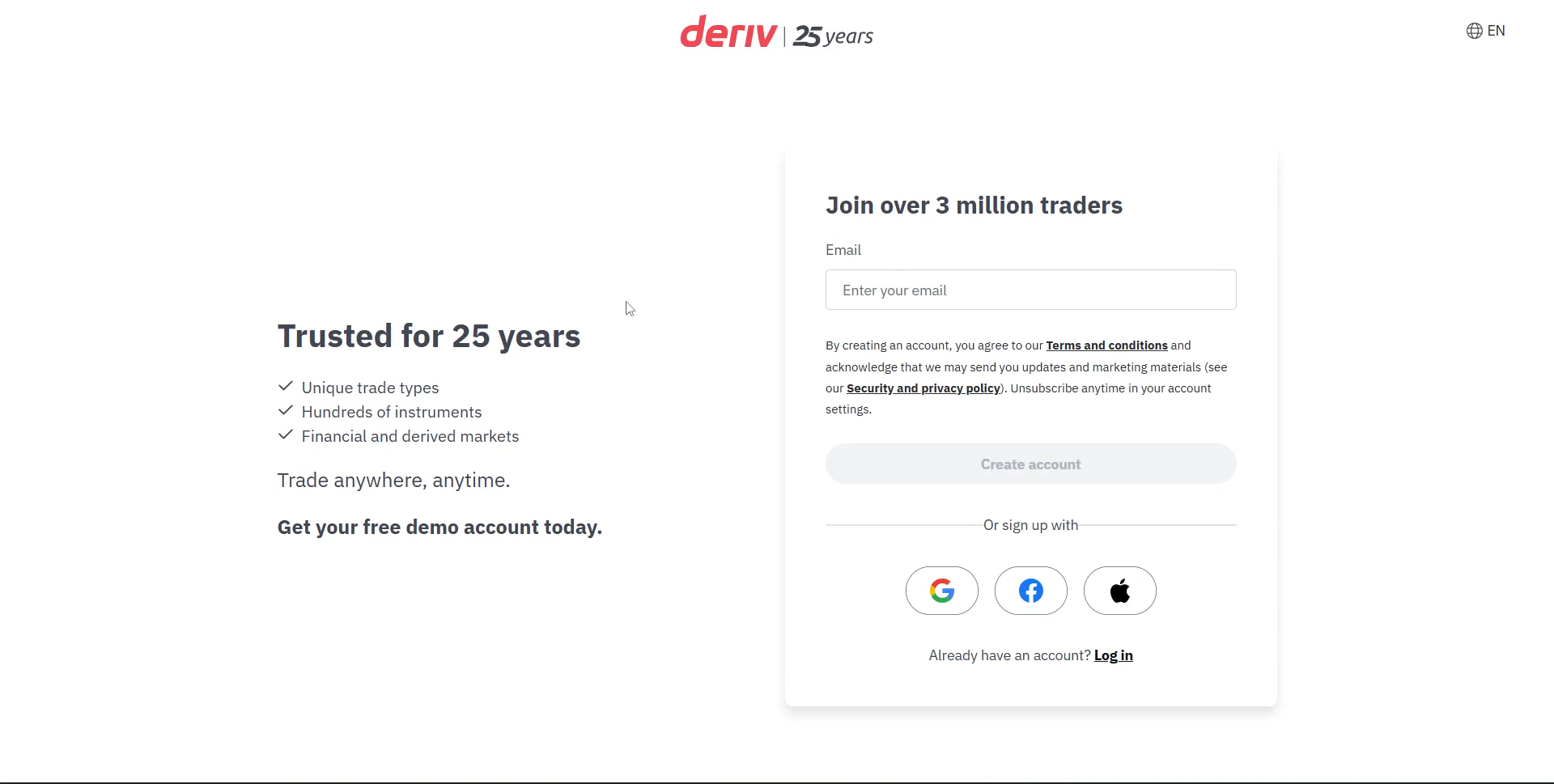
Step 1: Create your Deriv account
Go to the Deriv signup page and enter your email to create an account.
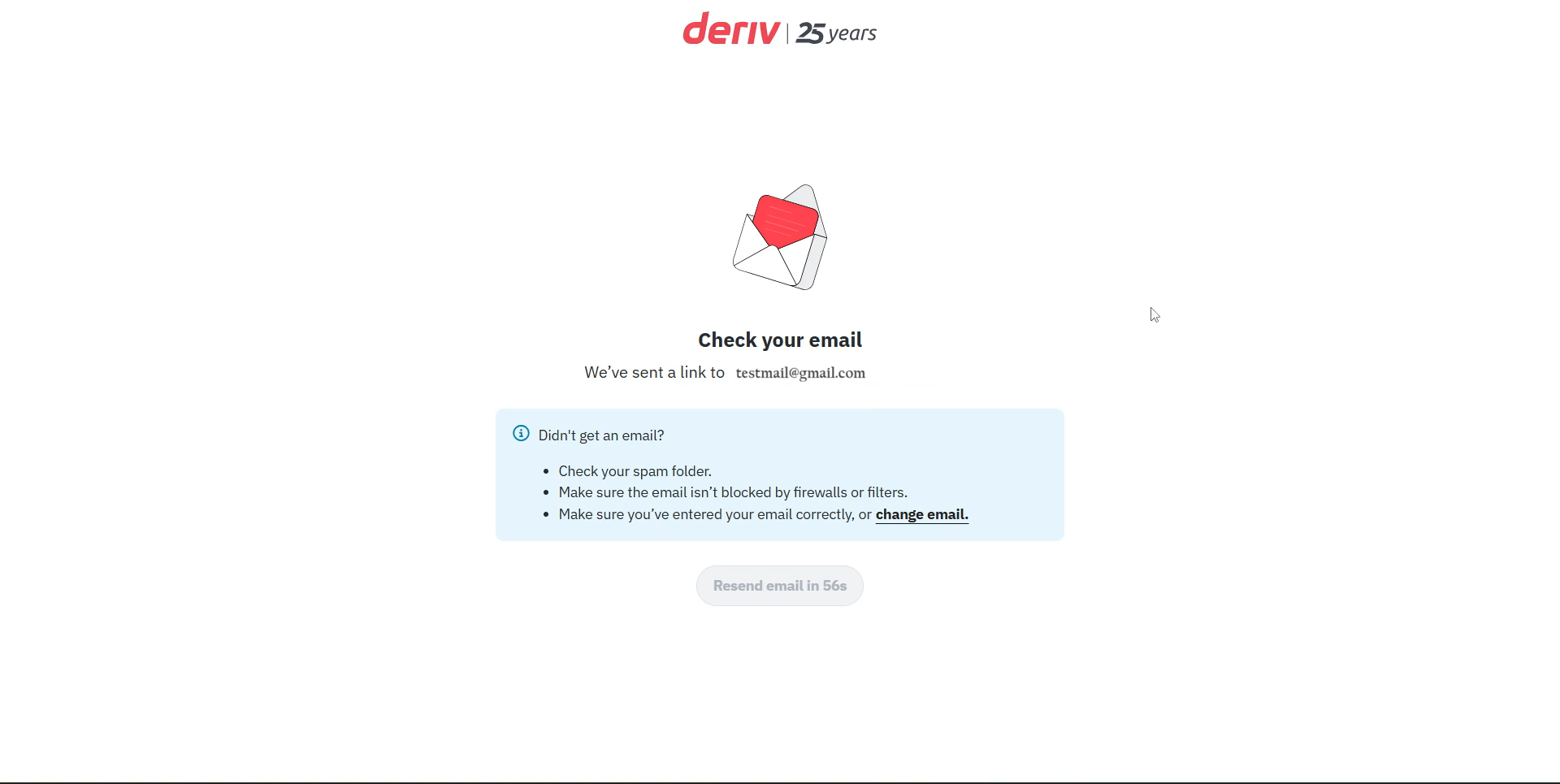
Step 2: Verify your email
Open your inbox and click the verification link.
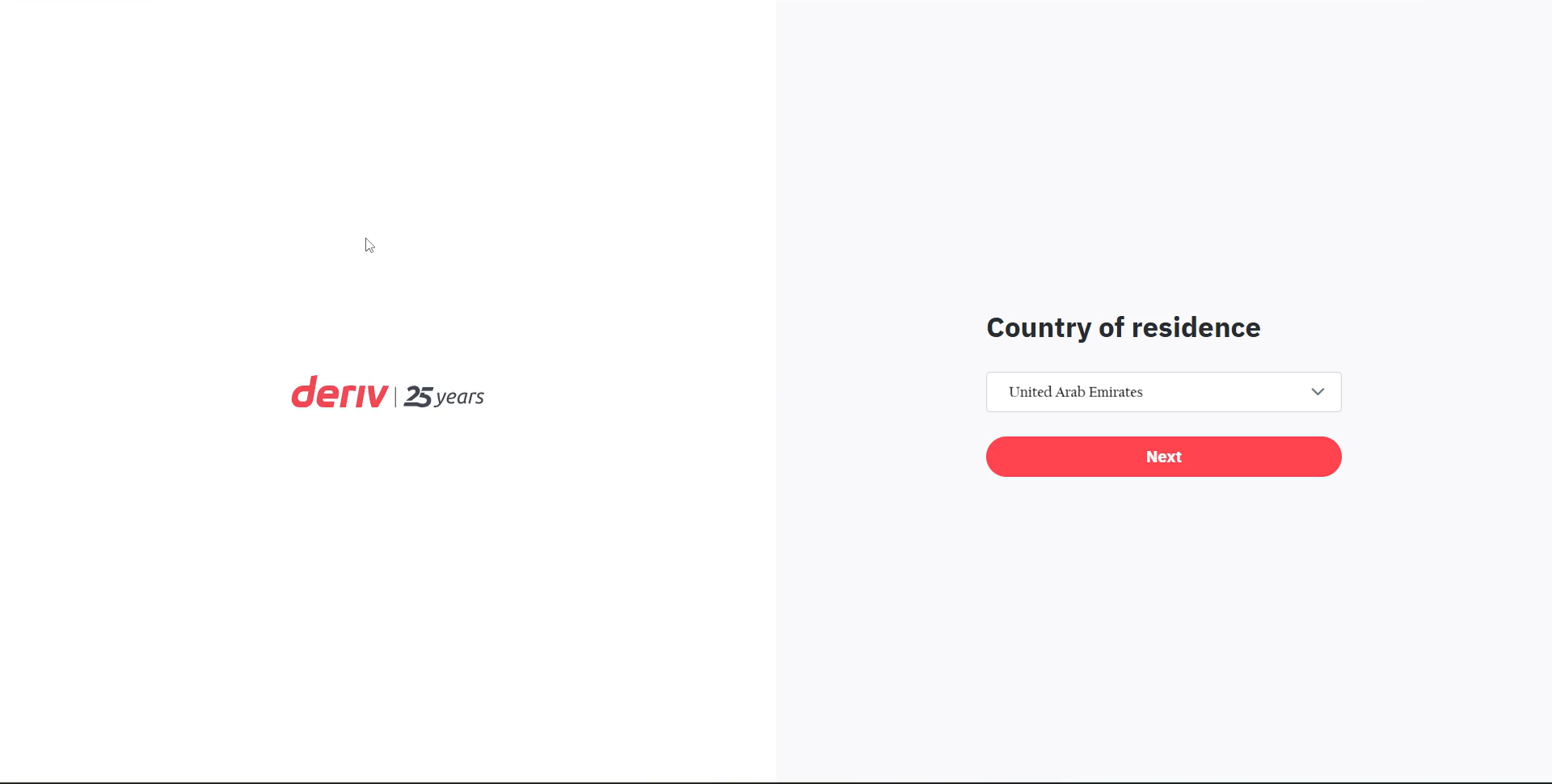
Step 3: Choose your country of residence
Select your country of residence carefully. This determines available services.
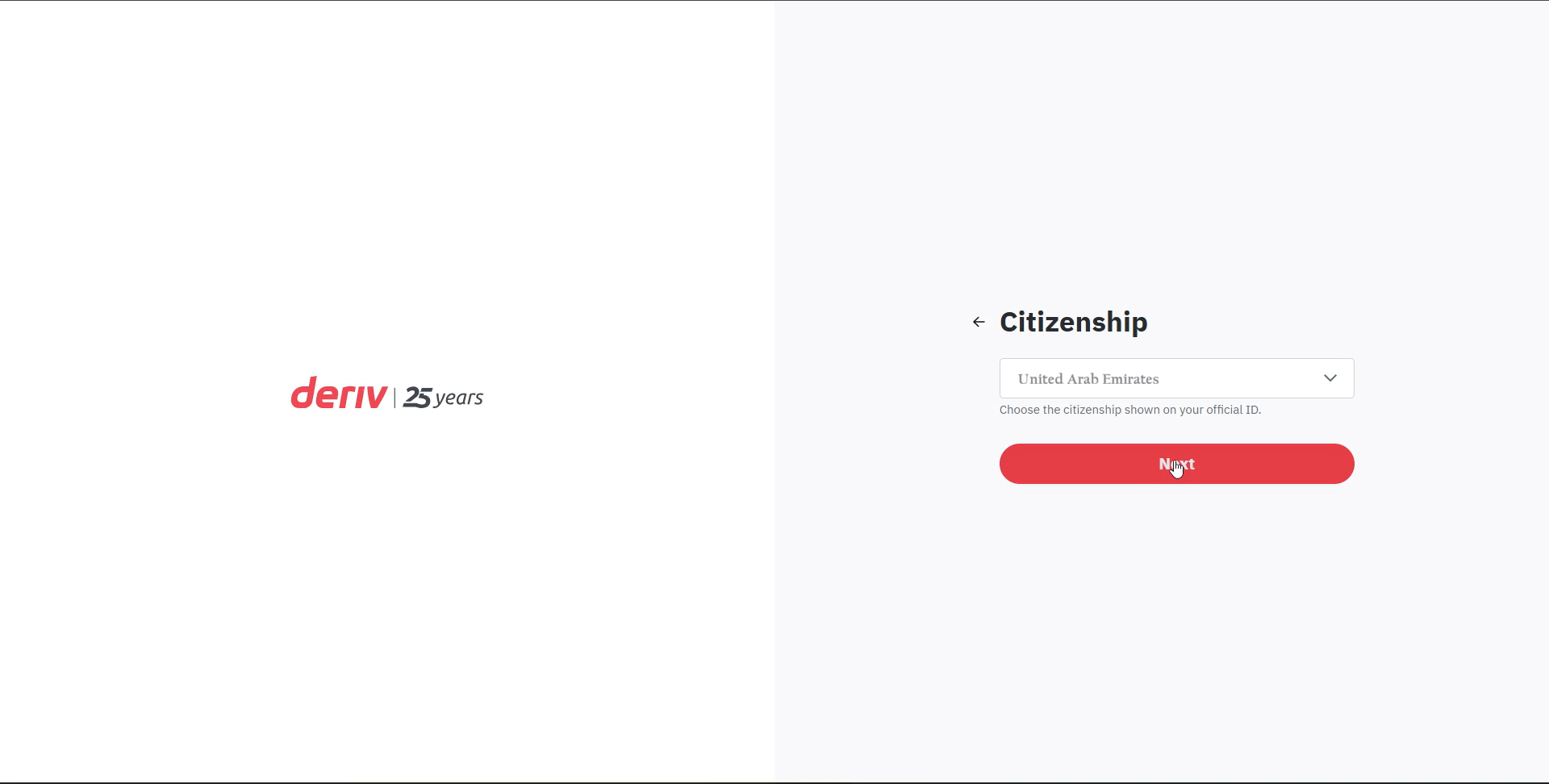
Step 4: Confirm your citizenship
Choose your citizenship exactly as shown on your ID.
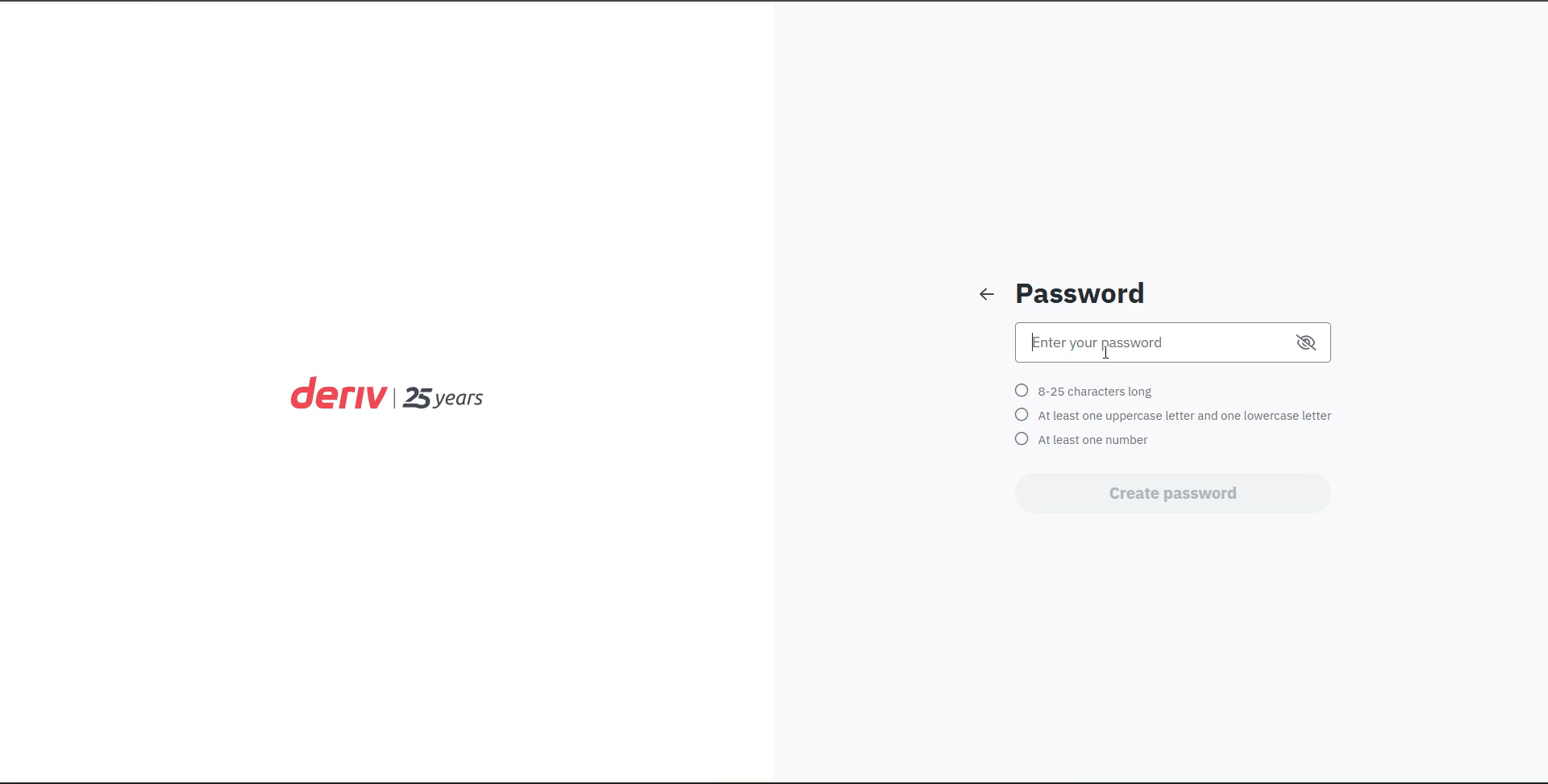
Step 5: Create a secure password
Set a strong password that meets Deriv security rules.
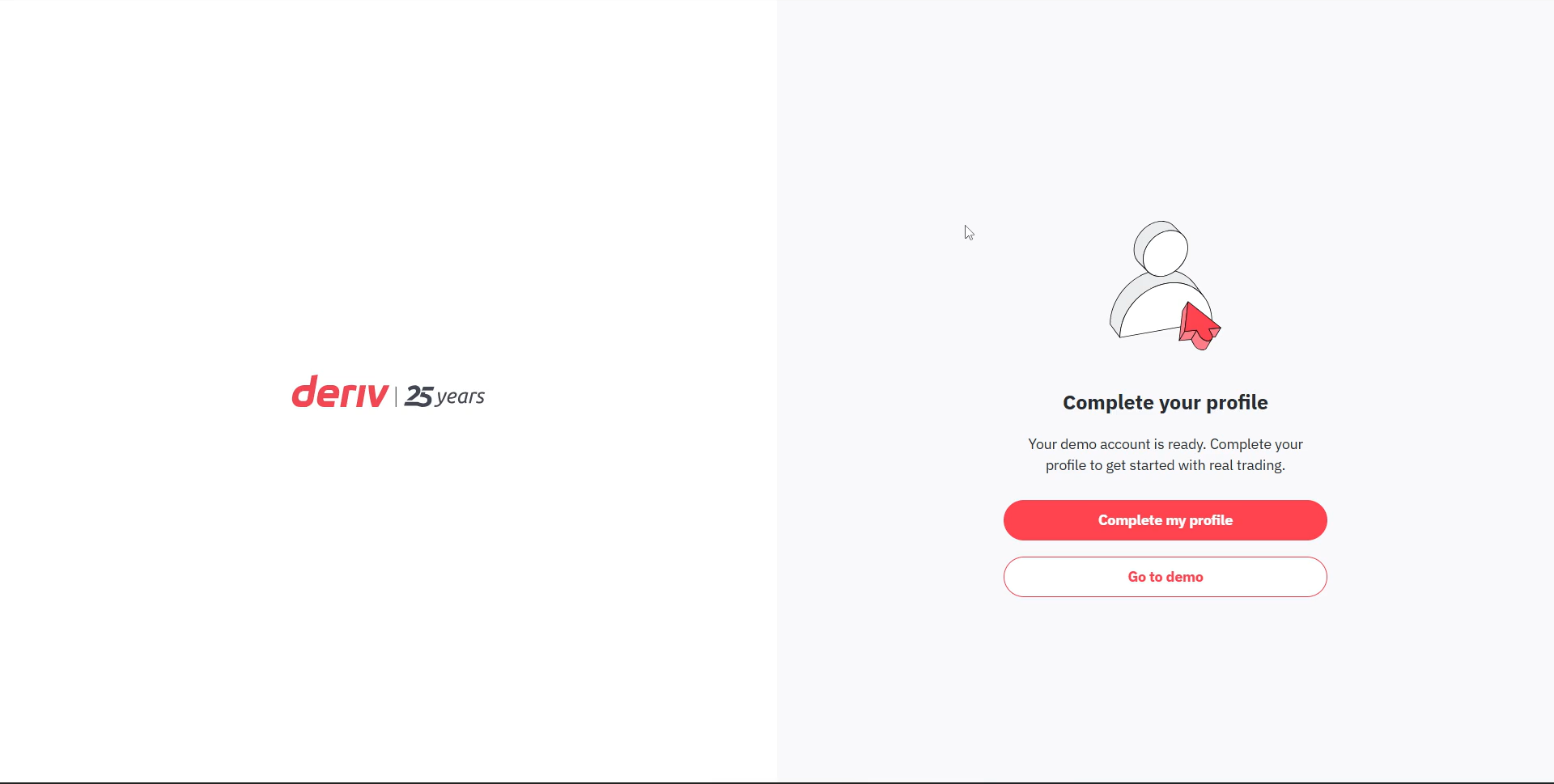
Step 6: Complete your profile
After email verification, click Complete my profile to begin the real-account setup.
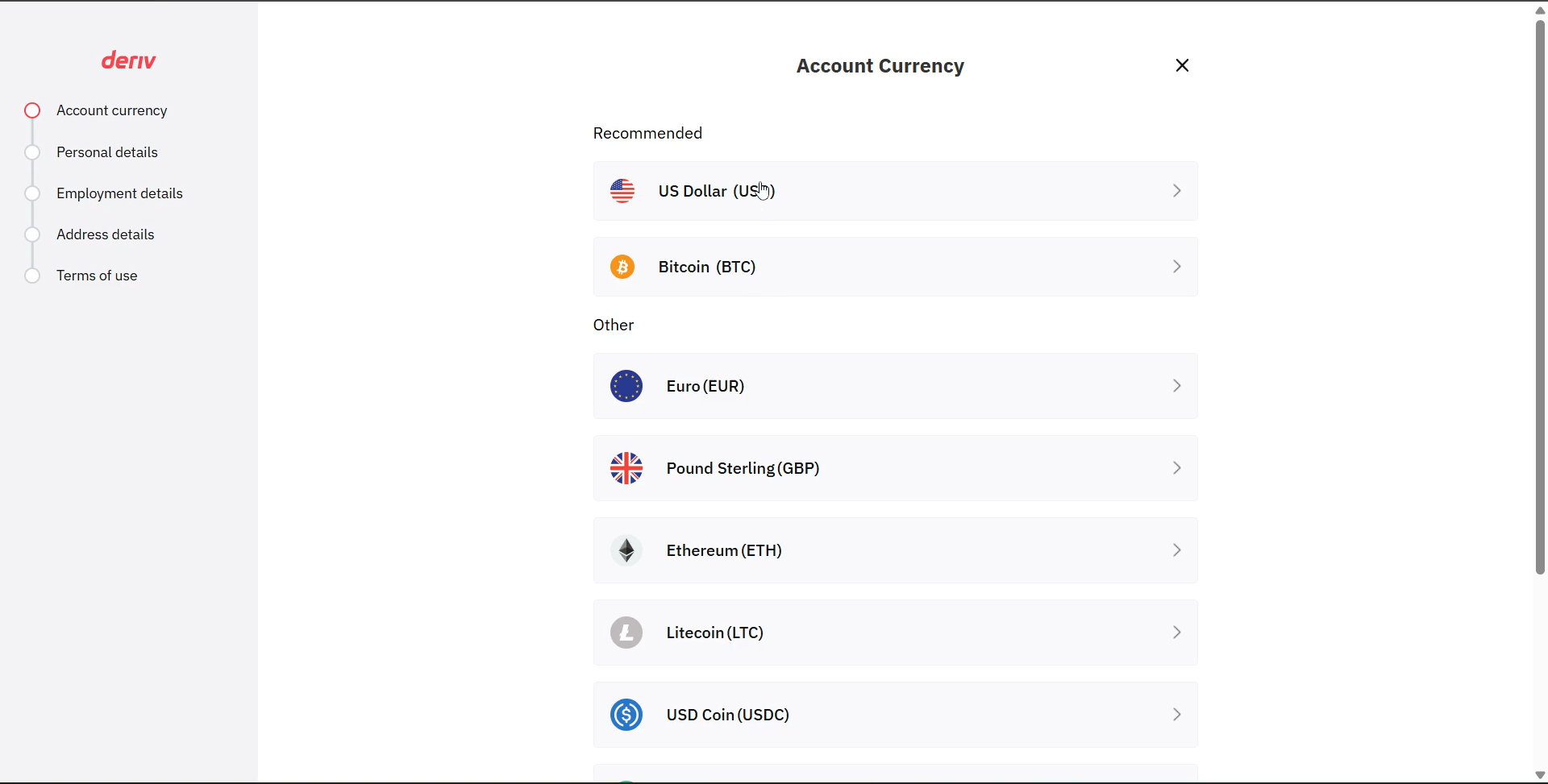
Step 7: Select account currency
Choose your account currency (USD is common for beginners).
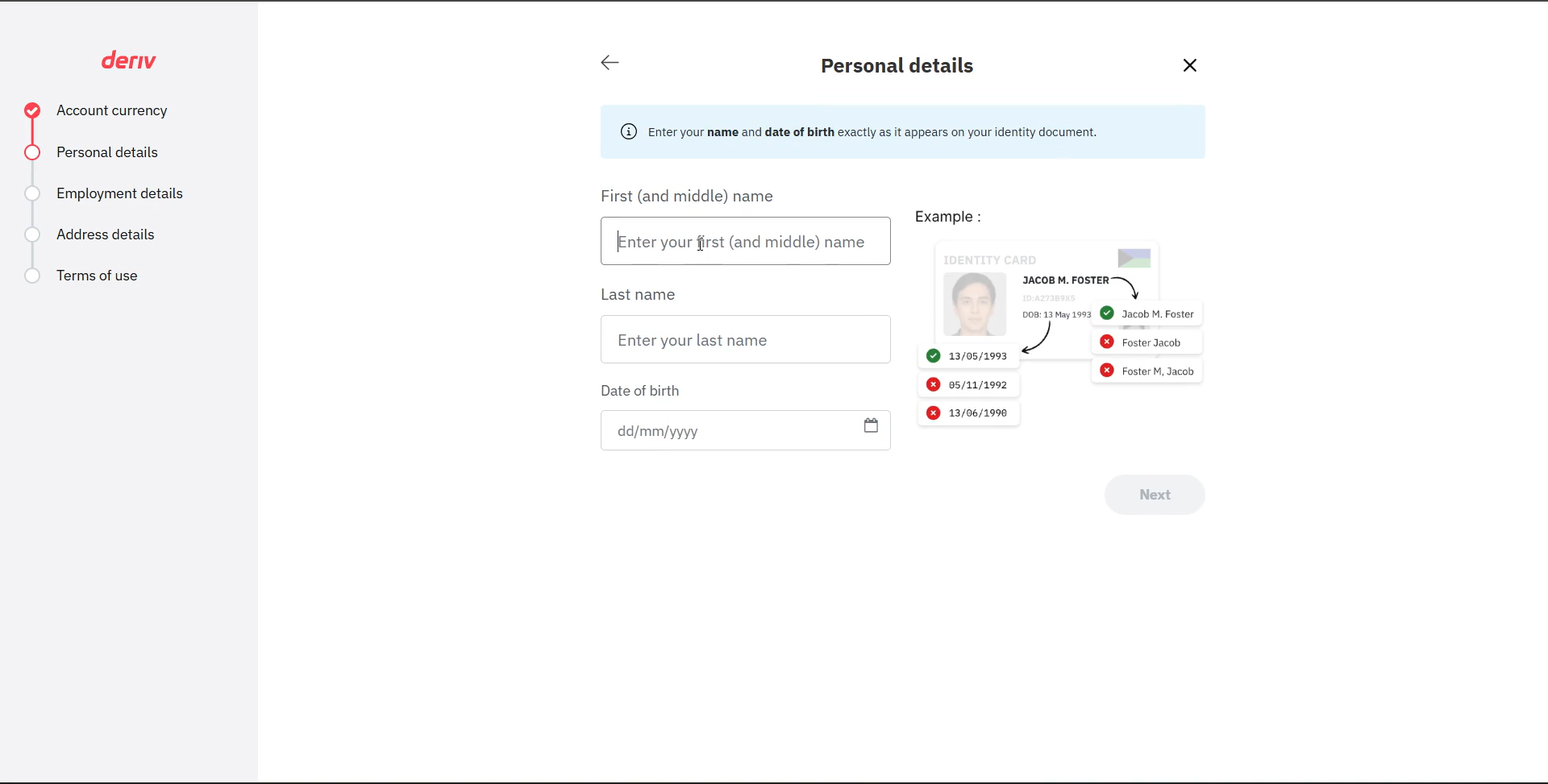
Step 8: Complete your personal details
Fill out your personal details carefully.
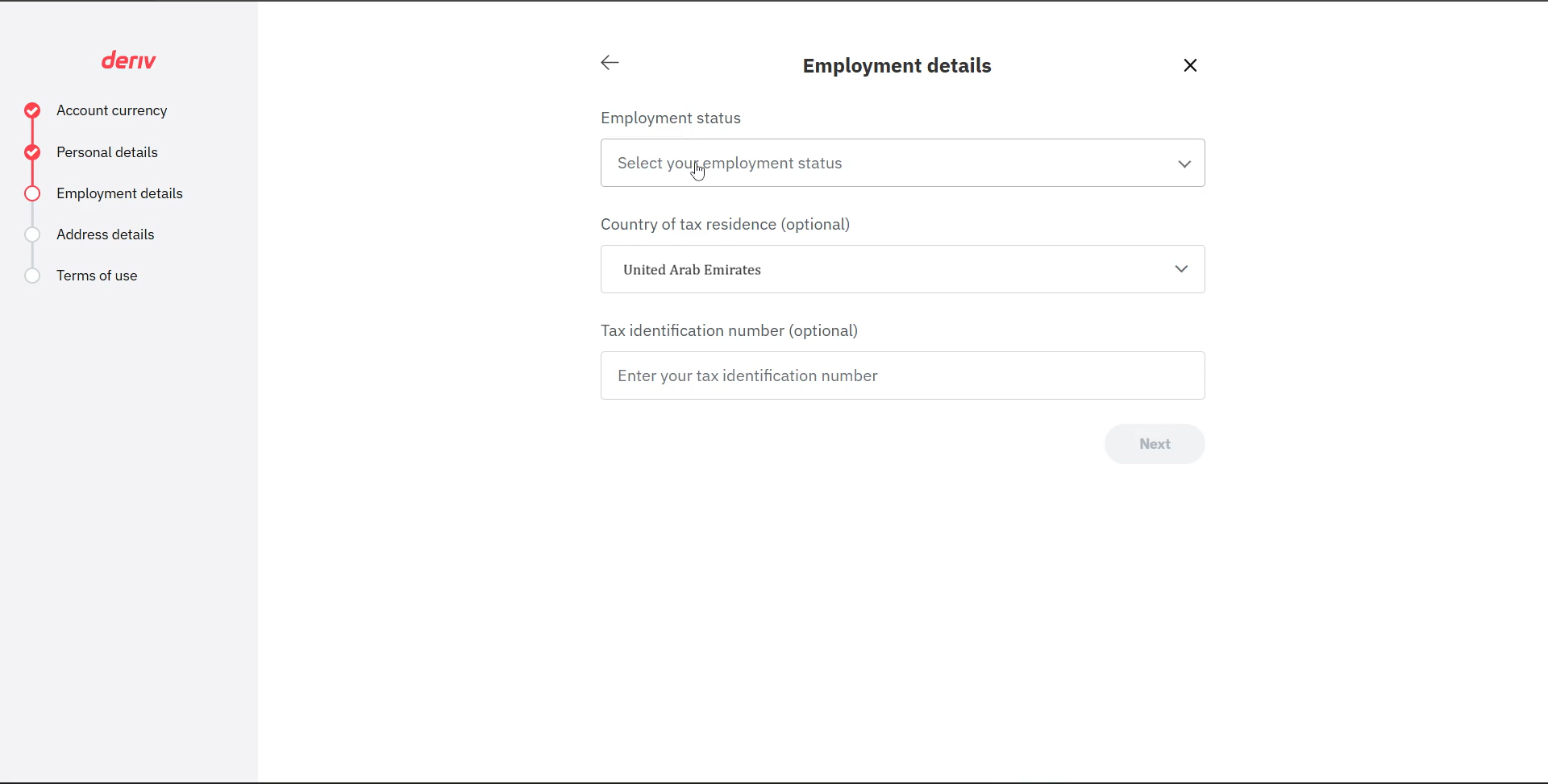
Step 9: Add employment details
Provide employment and tax information if required.
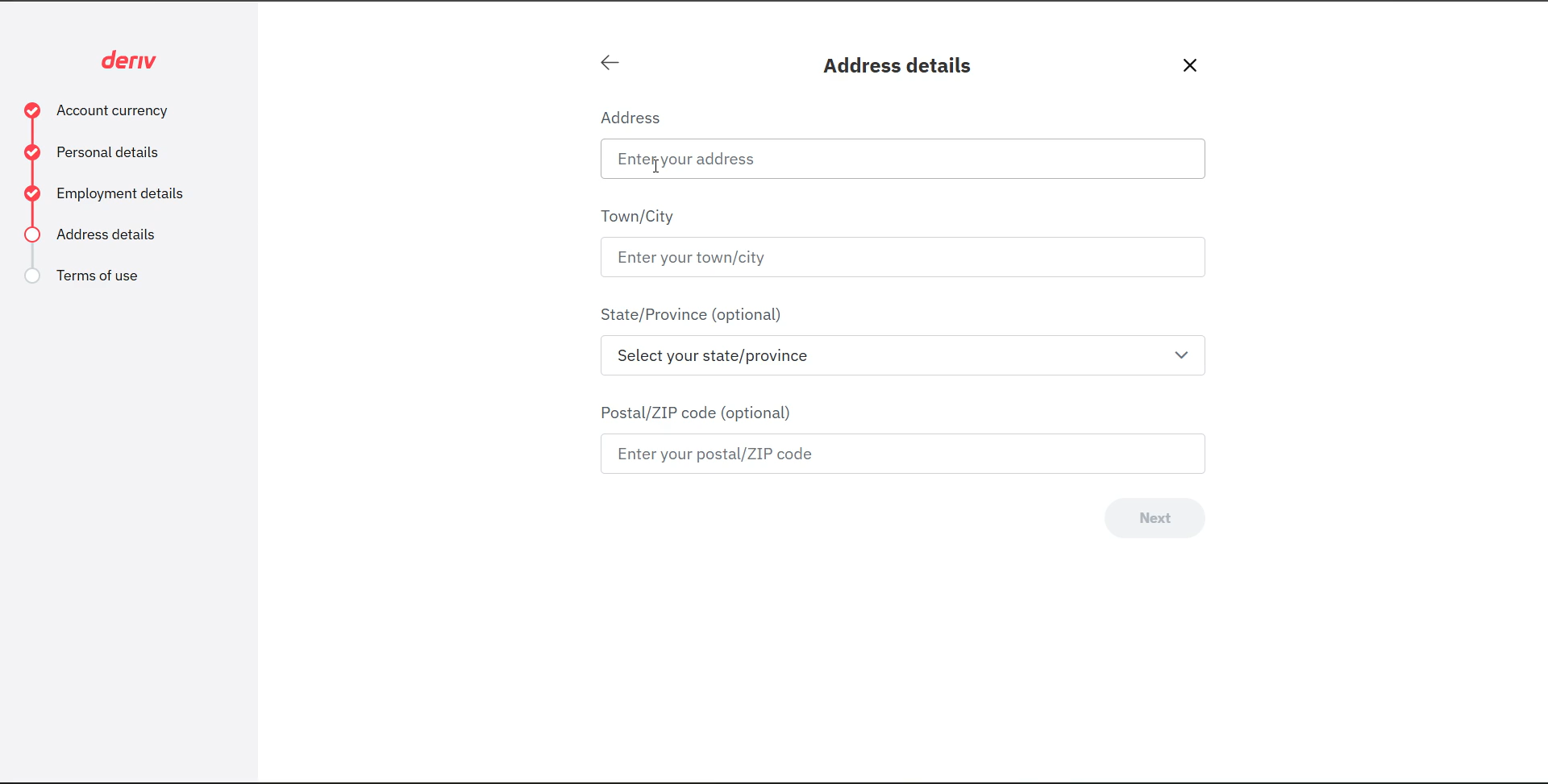
Step 10: Add your address details
Enter your address details accurately.
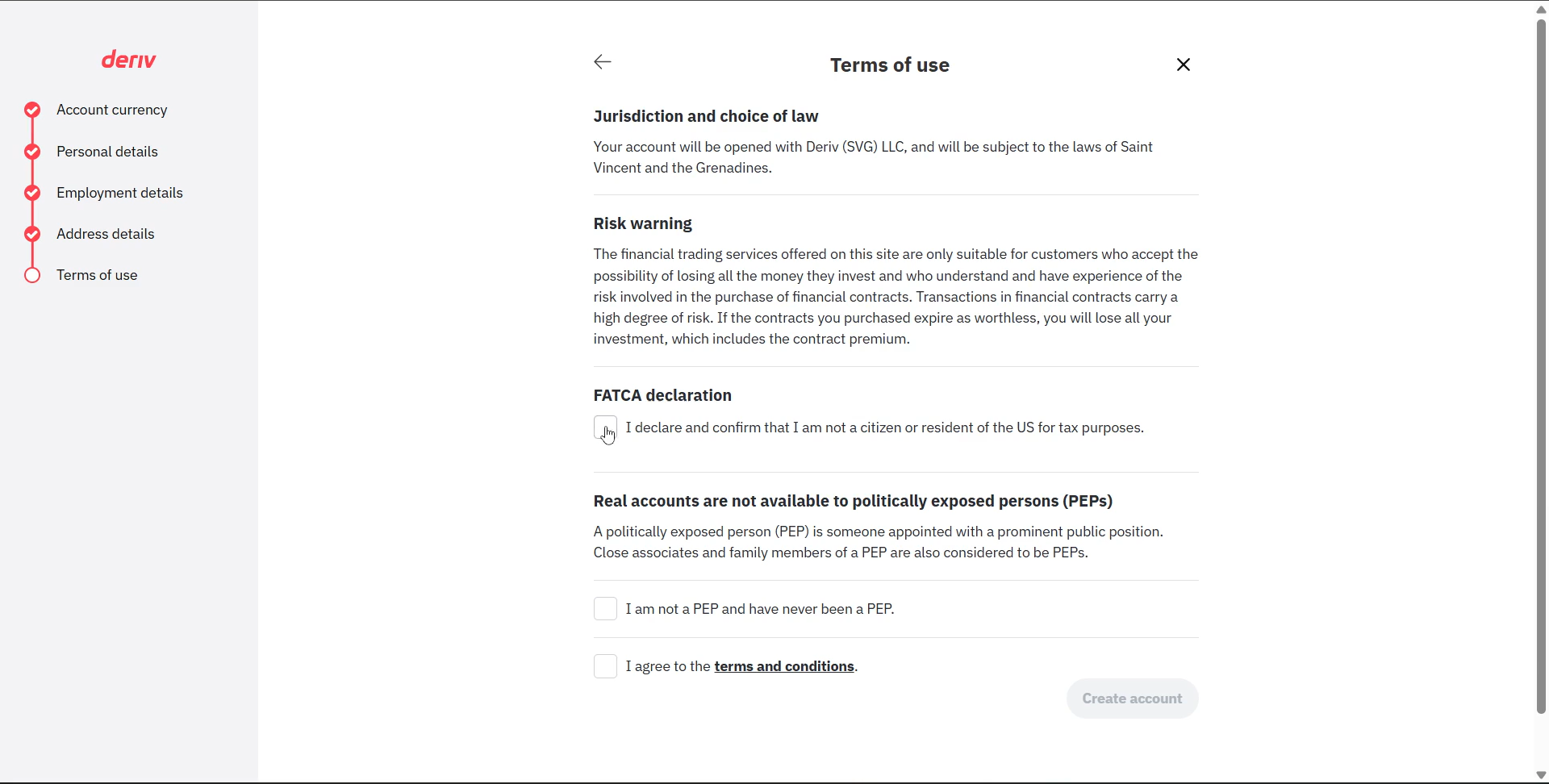
Step 11: Accept terms and complete setup
Read and accept the terms, FATCA, and PEP declarations.
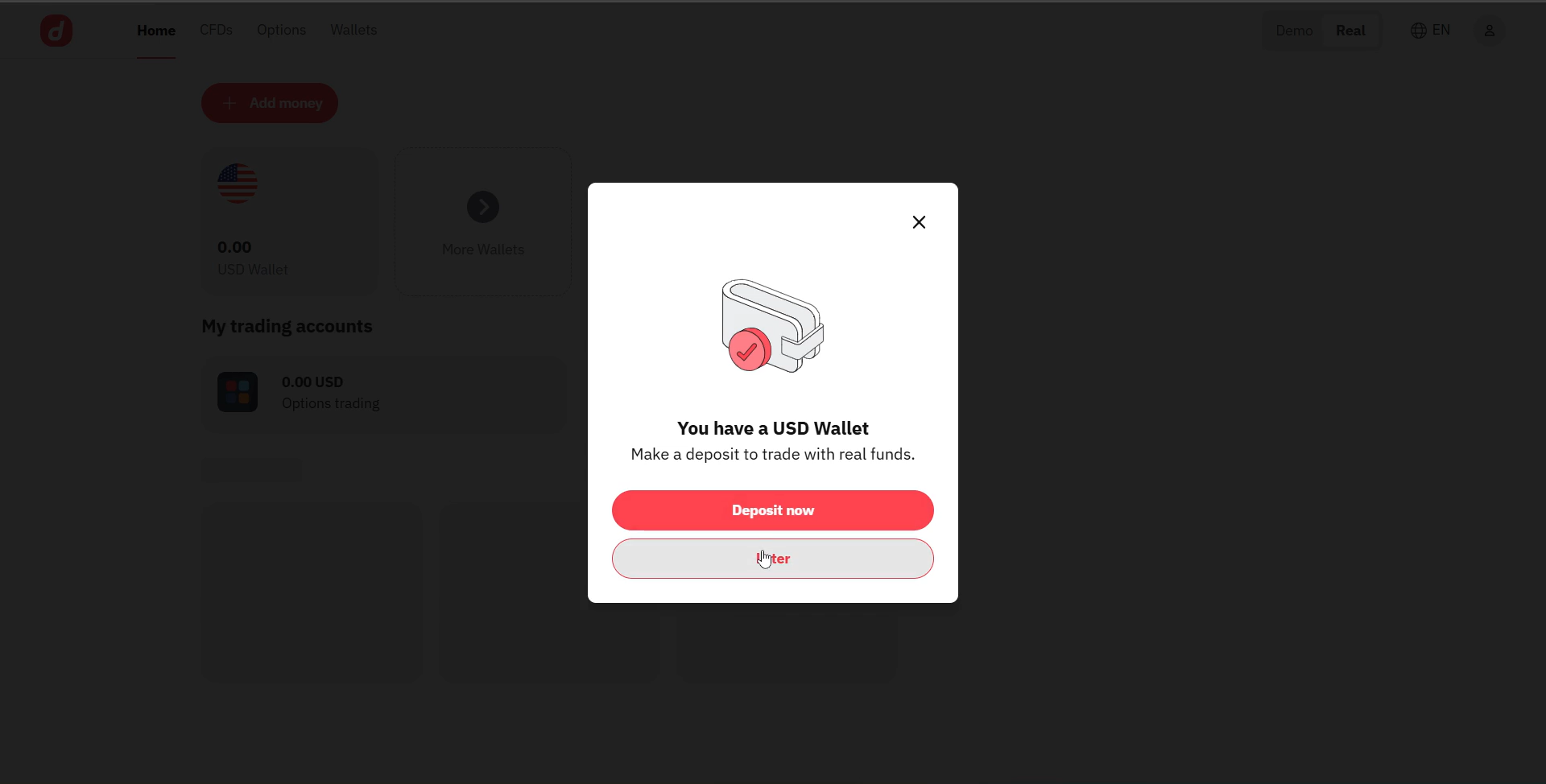
Step 12: Access your real account
Once completed, your real account is created. You can now switch to the Real tab and fund your account.
Pro Tip
Next step: If you want to trade on real funds, add money using your preferred deposit method. Start small while you learn.
Pro Tip
Next step: If you want to trade on real funds, add money using your preferred deposit method. Start small while you learn.
3️⃣ Demo vs Real: Quick Comparison
| Feature | Demo Account | Real Account |
|---|---|---|
| Funds | Virtual | Real money |
| Risk | No real risk | Real risk |
| Verification | Minimal | Full profile + compliance |
| Best for | Practice | Live trading |
Risk Warning: Real accounts involve real money. Never deposit more than you can afford to lose.
Risk Warning: Real accounts involve real money. Never deposit more than you can afford to lose.
4️⃣ Common Issues and Fixes
✅ Top quick fixes
- No email? Check spam or resend the verification link.
- Wrong country? Contact support before continuing.
- Password rejected? Use 8-25 characters with upper, lower, and number.
- KYC mismatch? Ensure your profile matches your ID exactly.
Need Help Opening Your Account?
If you want guided support, our team can help you open and verify your Deriv account quickly.
Get Free Account Opening Support
If you want guided support, submit a request and we’ll help you complete the process.
Get Free Account Opening Support
Summary
Key Principles (0/4)
Quiz
Quiz
Why is email verification required before creating a real account?
Answer:
Email verification proves you own the email and activates your account securely. Without it, you cannot proceed to profile or real account setup.
Which details must match your official ID?
Answer:
Your name, date of birth, citizenship, and address should match your official ID to avoid KYC issues.
What is the safest next step after your real account is created?
Answer:
Deposit a small amount, start with low risk, and trade only after understanding the platform.
🚀 LeTechs Insight
Opening a real account is easy, but trading profitably is not. Treat your real account like a professional setup: verify properly, fund wisely, and start small. Your long-term success depends more on discipline than speed.
Ready to Open Your Real Deriv Account?
Follow the steps above, then access your real wallet to begin responsibly.
Deriv
- Zero-spread accounts for tighter entries
- Swap-free (Islamic) available

XM
- Consistently low spreads on majors
- Micro accounts — start with a smaller risk
- Swap-free (Islamic) available
- No trading commission
Next Lesson: Deriv account verification (KYC) guide
Ready to continue?
Mark this lesson as complete to track your progress.